A backup is a full copy of your server: worlds, plugins, settings. Make one before every big change (new version, new plugins, new modpack).
Make a backup
- Open the Backups tab.
- Click Create Backup, give it a name (like
before 1.21 update) and confirm. - Wait until it shows a size. That’s it.
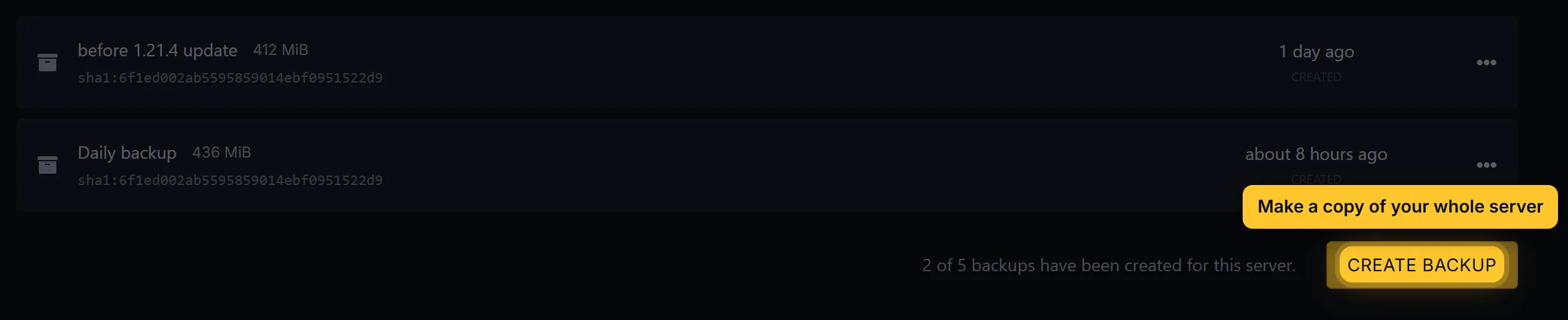
Your plan has a set number of backup slots, shown on the Backups tab. When they’re full, delete an old backup first.
Click the lock icon on a backup you want to keep for sure. A locked backup can’t be deleted until you unlock it.
Restore a backup
- Stop the server.
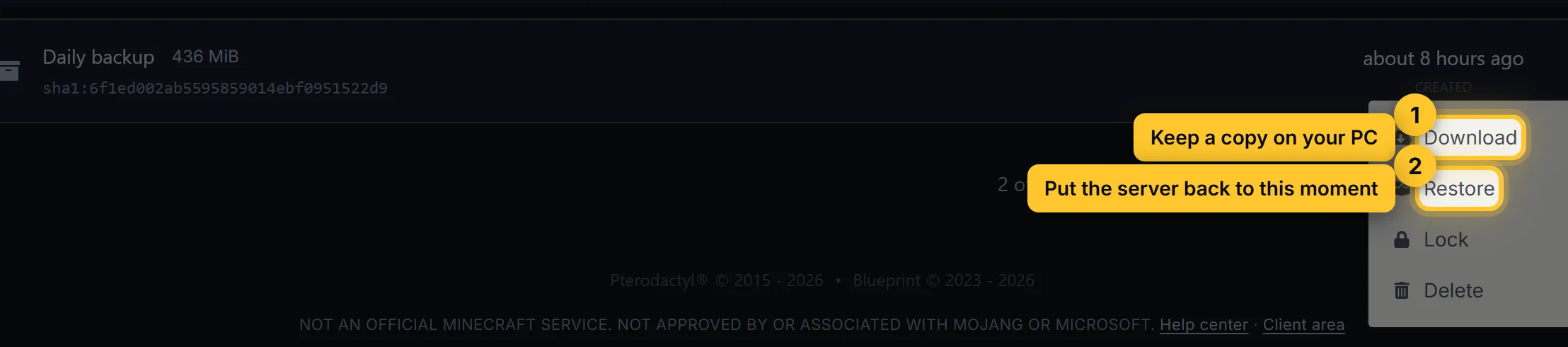
- On the Backups tab, open the menu (⋮) next to the backup and choose Restore.
- Tick Delete all files before restoring if you want the server exactly as it was. Leave it off to keep files that are newer than the backup.
- Wait for the restore to finish, then Start the server.
Download a backup
Open the menu (⋮) next to a backup and choose Download. You get a .tar.gz file that opens with 7-Zip or WinRAR. Keep a copy on your PC for important worlds.
Automatic backups
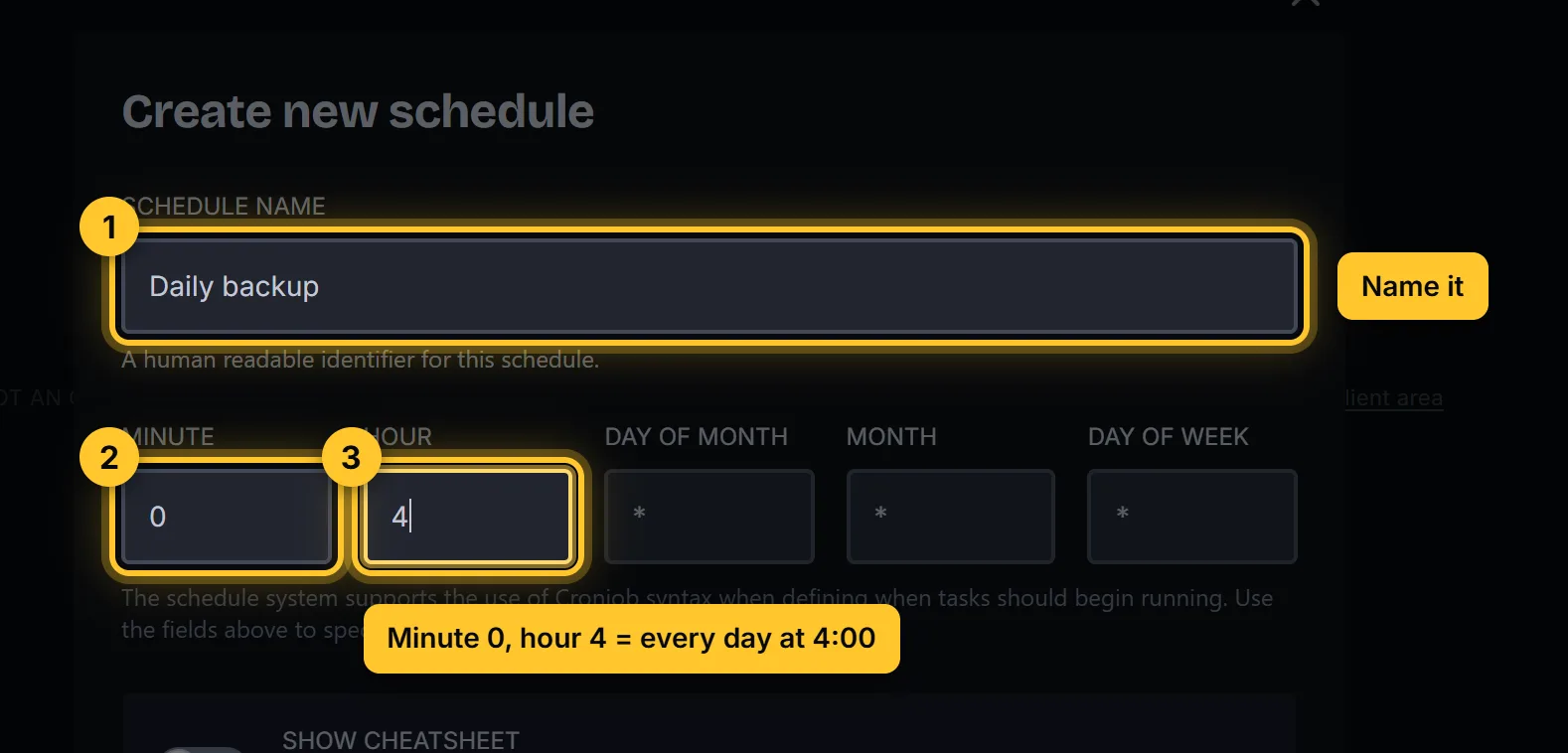
- Open the Schedules tab and click Create schedule.
- Name it
Daily backupand set the time. For every day at 4:00: minute0, hour4, and*for the rest. - Open the new schedule, click New Task, choose Create backup and save.
An automatic backup can’t be made while all backup slots are full. Delete old ones now and then, or lock only the ones you really need.