server.properties holds your server’s main settings. You only need a handful of them.
How to edit it
- Stop the server.
- Open Files and click
server.properties. - Change the value after the
=sign, for exampledifficulty=hard. - Click Save, then Start the server.
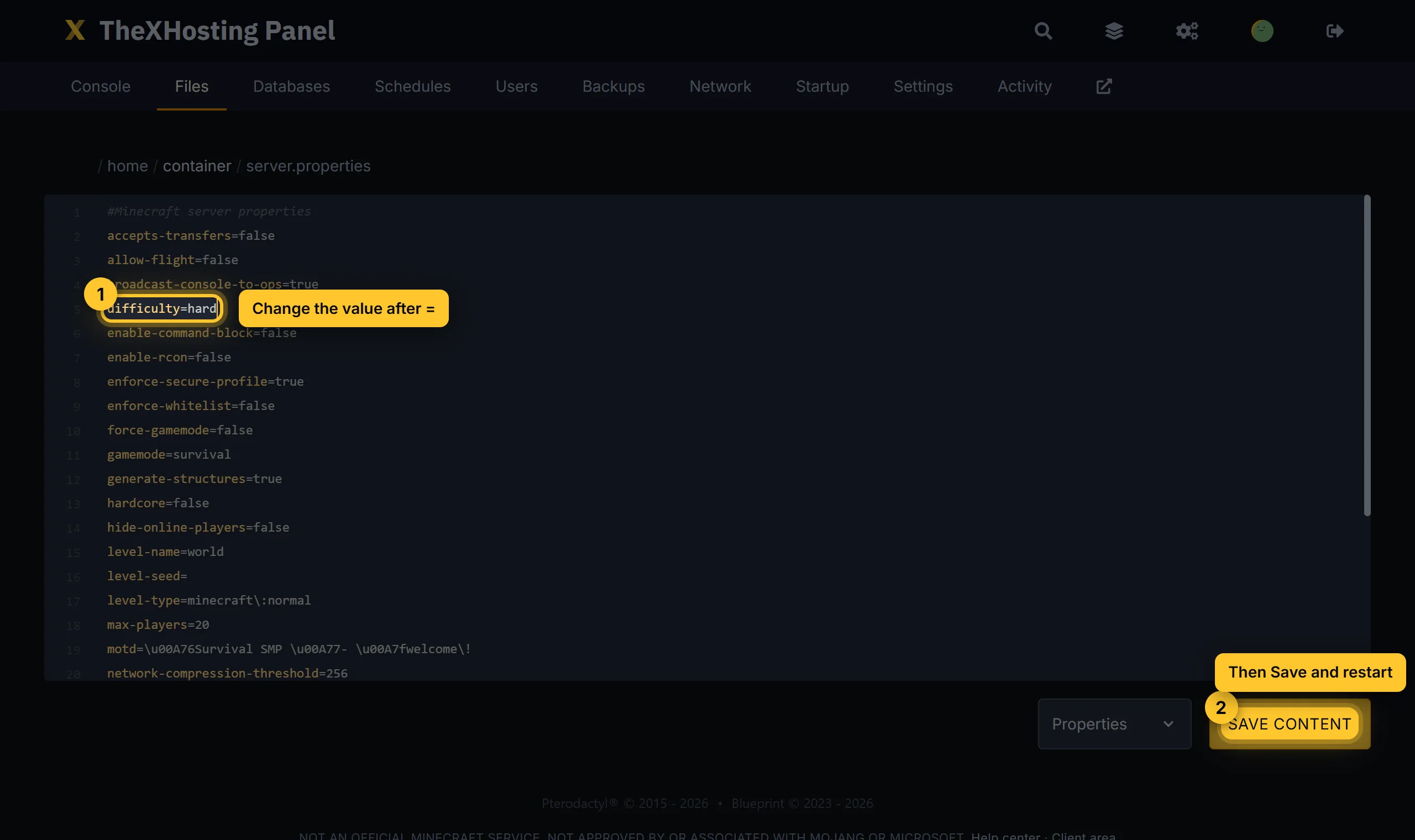
Changes only work after a restart. Edit while the server is stopped, or the server may write over your changes when it shuts down.
The settings people change most
motd: the text under your server’s name in the server list. Make a colorful one with the MOTD generator, or in the panel’s MOTD tab with a live preview.max-players: how many players can join at once.difficulty:peaceful,easy,normalorhard.gamemode: the default mode for new players:survival,creative,adventureorspectator.hardcore:truebans players when they die.pvp:falsestops players from hurting each other.white-list:truelets only players on the whitelist join. See OP and whitelist.spawn-protection: blocks around spawn that only OPs can build in.0turns it off.allow-flight: set totrueif players get kicked for flying with mods or elytra-like items.enable-command-block:truelets command blocks work.
Performance
view-distance: how far players see, in chunks. Lower it (6 to 8) if the server lags.simulation-distance: how far mobs and crops keep working. 4 to 6 saves a lot of CPU.
World
level-name: the folder of your world (defaultworld).level-seed: the seed for a new world. It does nothing for a world that already exists. See Upload or reset a world.level-type: for a new world, for exampleminecraft:flatfor a flat world.
Don’t change these
server-portandserver-ip: we set these for your server. If you change them, nobody can connect.online-mode: keep ittrue. Withfalse, anyone can join with any name, including yours.