New to running a server? This page covers the basics. Each part takes a minute.
The game panel in 30 seconds
Log in at panel.thexhosting.com, or open your server in the client area. You find the same tabs in both places.
- Console: start, stop and restart, and type commands.
- Files: every file of your server (worlds, plugins, settings).
- Backups: copies of your server you can restore with one click.
- Startup: start settings and Java version.
- Settings: SFTP login details and reinstall.
- Versions: switch Minecraft version or server type (Paper, Purpur, Fabric, Forge…). See Change your version.
- Plugins: search and install plugins in one click. See Install plugins.
- Players: operators, whitelist, kicks and bans. See Manage players.
- Splitter: split your plan into more servers. See Split your plan.
On a phone, swipe the server menu sideways to see all tabs.
Start, stop and restart
- Start boots the server. It’s ready when the console says
Done (…)! For help, type "help". - Stop saves the world and shuts down cleanly. Always stop the server before you change files.
- Restart is Stop + Start. Use it after you install plugins or change settings.
- Kill only if Stop hangs for more than a minute. It can lose the last few minutes of play.
Run commands in the console
Type commands in the box at the bottom of the Console page, without the slash:
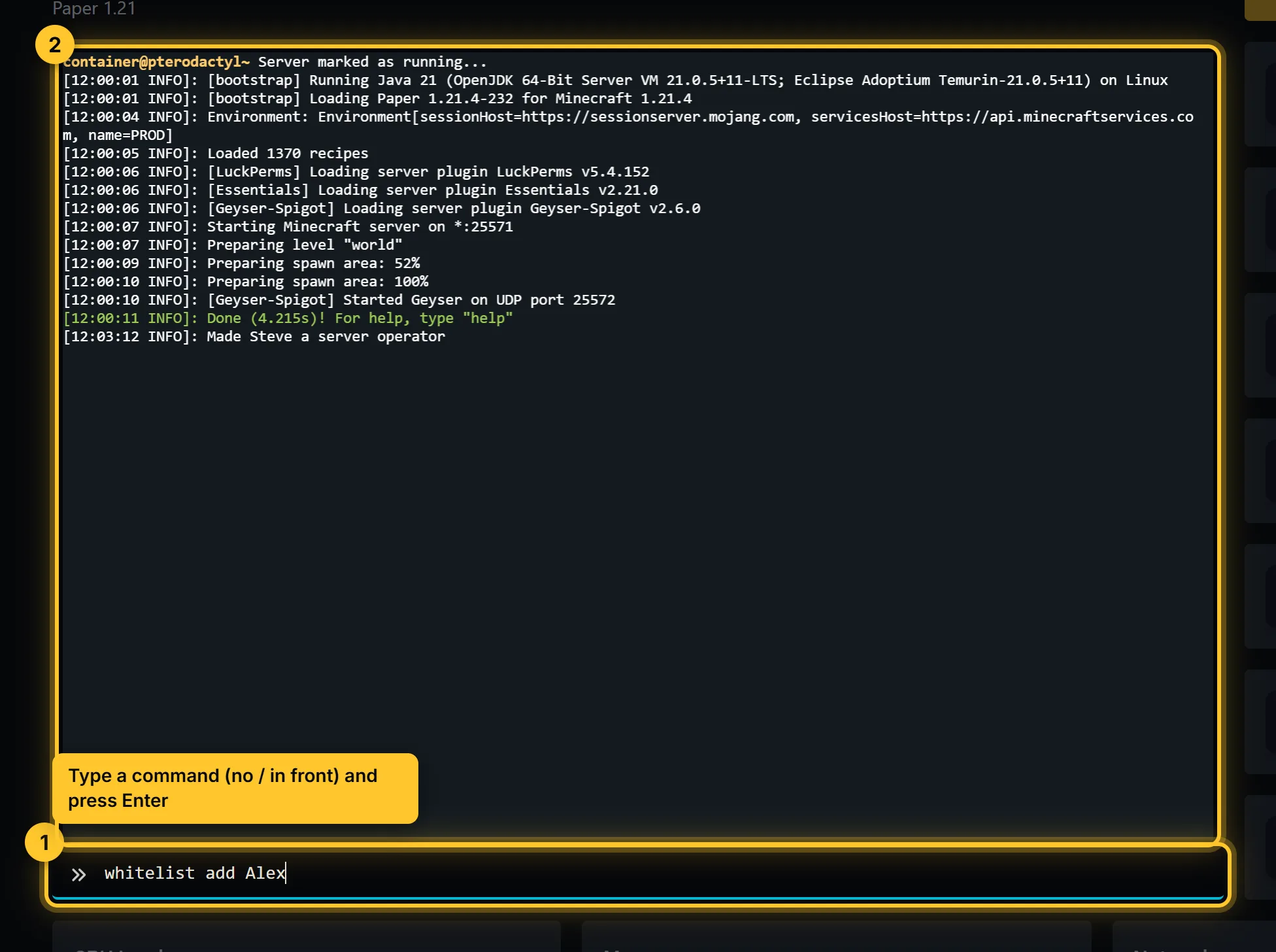
op YourName
say Restarting in 5 minutes
whitelist add FriendName
gamerule keepInventory true
In the game, the same commands need a slash (/op YourName) and you must be an operator. Or skip the commands: see Manage players.
Handy commands:
list: who is onlinesave-all: save the world right nowtps: server speed on Paper and Purpur (20 is perfect)difficulty normal,time set day,weather cleargamemode creative YourNamekick Name,ban Name,pardon Name
Where things are
Open Files to see everything on your server:
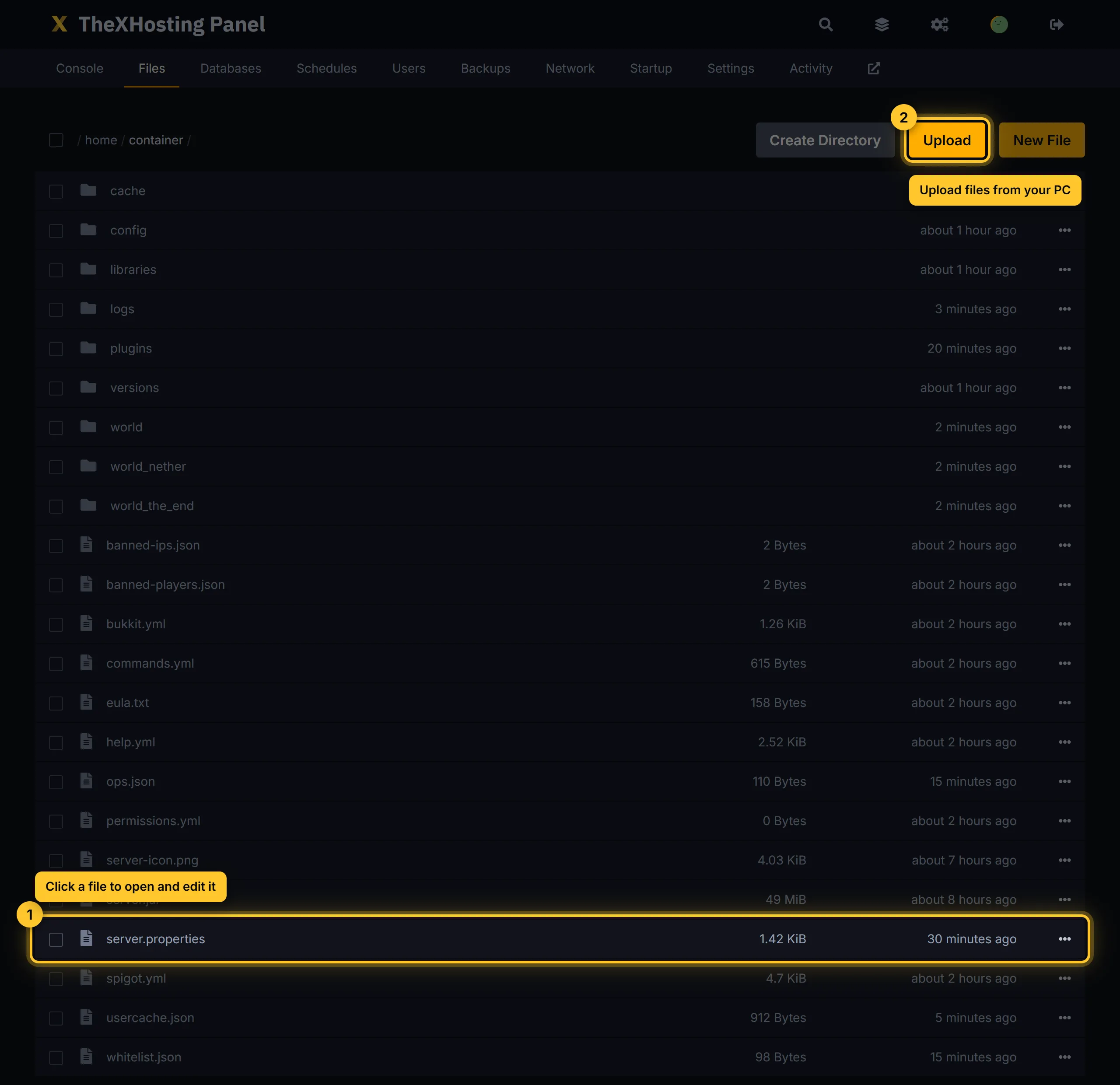
server.properties: the main settings. See server.properties explained.world,world_nether,world_the_end: your worlds.plugins(Paper, Purpur) ormods(Fabric, Forge).logs/latest.log: everything since the last start. Read it when something breaks.ops.json,whitelist.json,banned-players.json: who is OP, allowed or banned.
Big uploads (worlds, modpacks) are easier with an FTP app. See Upload files with SFTP.
RAM and players
Your RAM comes with your plan. Vanilla or Paper with a few friends runs well on 2–4 GB. Modpacks usually need 6 GB or more. Not sure? Try the RAM calculator, or upgrade your plan any time.