In the panel, open your Minecraft server and click MOTD in the server menu (on a phone, swipe the menu sideways). The message is saved in server.properties, so it works on every server type.
Write your message
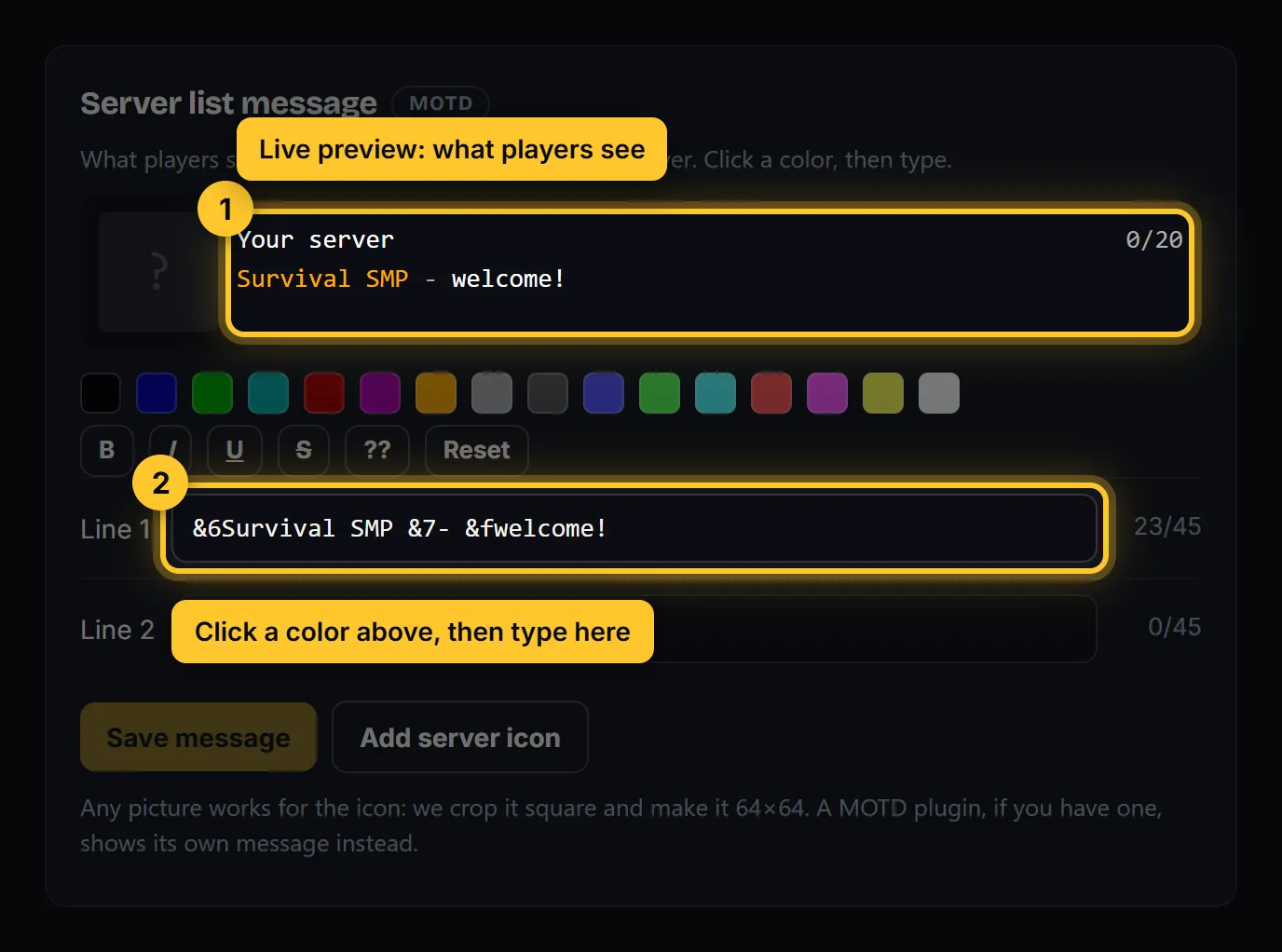
This is what players see under your server’s name in Multiplayer.
- Click in Line 1 (or Line 2), click a color, then type. B, I, U and S make the next text bold, italic, underlined or crossed out. Reset goes back to plain gray.
- The preview above shows how it will look. About 45 letters fit on one line.
- Click Save message, then Restart now.
Add a server icon
Click Add server icon and pick any picture. We crop it square and make it 64×64 pixels for you. It shows after the next restart.
It doesn’t change?
- Restart the server: the message and icon load at start.
- A MOTD plugin, if you have one, shows its own message instead of this one.
- In Minecraft, click Refresh in the server list.
Prefer to make it on your computer first? The free MOTD generator gives you the same preview.