In the panel, open your Minecraft server and click Tools in the server menu (on a phone, swipe the menu sideways). Every tool says what it will do before it changes anything. Some tools need the server running (they talk to it through the console), others need it stopped: the card tells you and has the right button.
The server list message and icon have their own tab: MOTD.
If a tool from this guide isn’t there, it isn’t switched on for your server yet. Open a ticket and ask.
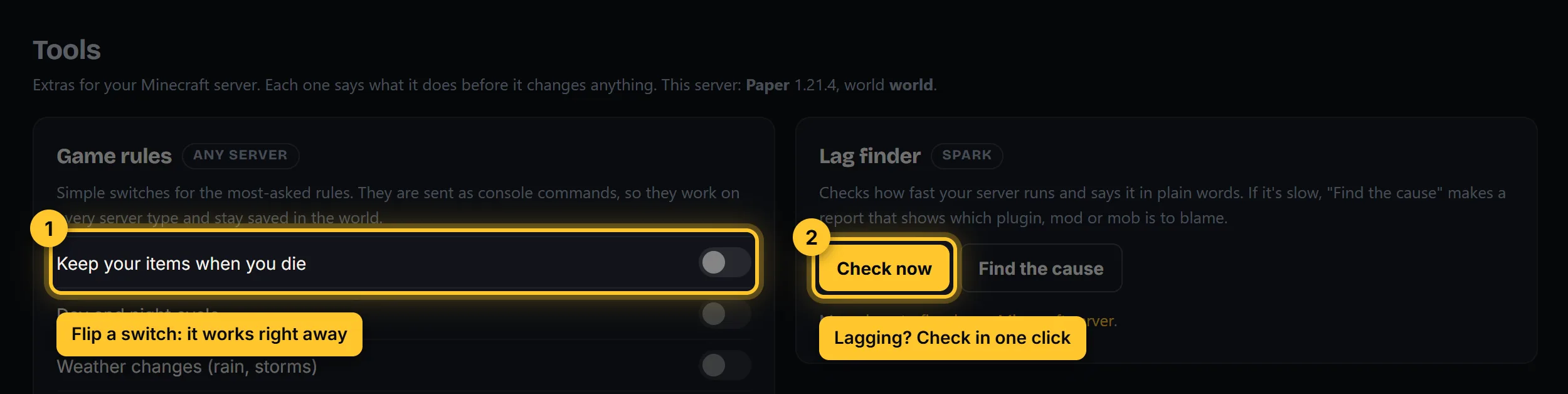
Game rules
Switches for the rules people change most: keep your items when you die, day and night cycle, mob griefing, phantoms, fall damage and more. Start the server, flip a switch, done: it applies right away and stays saved in the world. No restart.
Lag finder
Click Check now to see how fast your server runs (TPS, the time each tick takes, CPU and memory) in plain words. If it’s slow, Find the cause records for 60 seconds and gives you a report link that shows which plugin, mod or mob is to blame. It uses the free spark plugin and offers to add it if it’s missing. More help: fix a laggy server.
Pregenerate the world
New land is the most work for a server. Pregenerating builds the area around spawn ahead of time, so exploring later doesn’t cause lag. Pick a size, click Start and watch the progress bar. Players can stay online while it runs, but it’s best done once, before launch or at night. It uses the free Chunky plugin and offers to add it.
Bring your world
Upload a singleplayer world (as a .zip) or a Realms backup (.tar.gz). Stop the server first. We find the world inside the file, put it in place and switch the server to it. Your old world is kept, and Switch to this under the list brings it back. The card shows where to find your world on your computer. More: upload or reset a world.